TypeSafe AI integration
Some questions aren't a GROUP BY. "Which of these tickets is an angry
customer?" has no column for it. Thunderduck's TypeSafe AI integration answers
questions like that as ordinary SQL functions, backed by
TypeSafe (opens in a new tab)'s Jev model: a sentence in, a typed answer out.
There are no embeddings, no vector column, and nothing else to stand up.
The functions come from the jev DuckDB extension, which is already installed
and loaded for every catalog. You don't run INSTALL or LOAD yourself. The
only setup is giving Thunderduck your TypeSafe API key.
Set up the integration
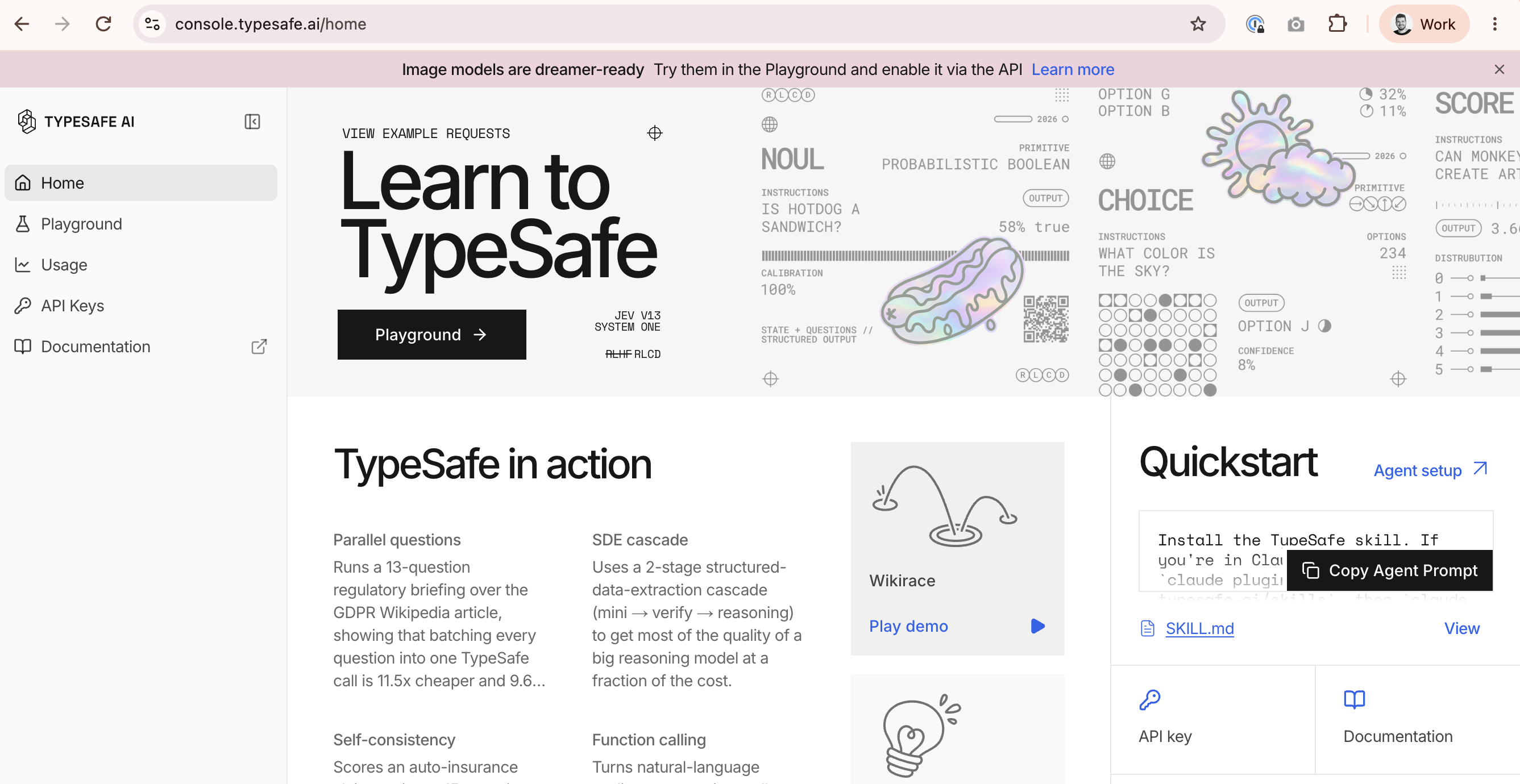
Step 1: Sign in to TypeSafe
Go to console.typesafe.ai (opens in a new tab) and sign in, or create an account if you don't have one yet.
Step 2: Create an API key
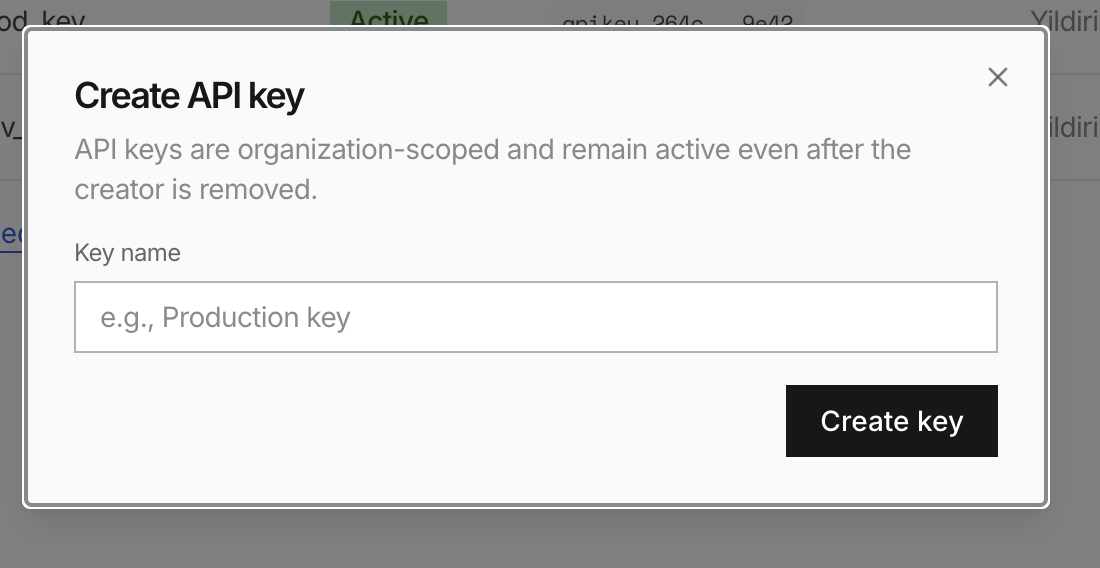
In the TypeSafe console, click API Keys in the sidebar and create a new
key. Give it a Key name (for example, Thunderduck), click Create key,
and copy the key it shows you. Keep it somewhere safe until you've pasted it
into Thunderduck in step 4.
Step 3: Open Settings → Environment in Thunderduck
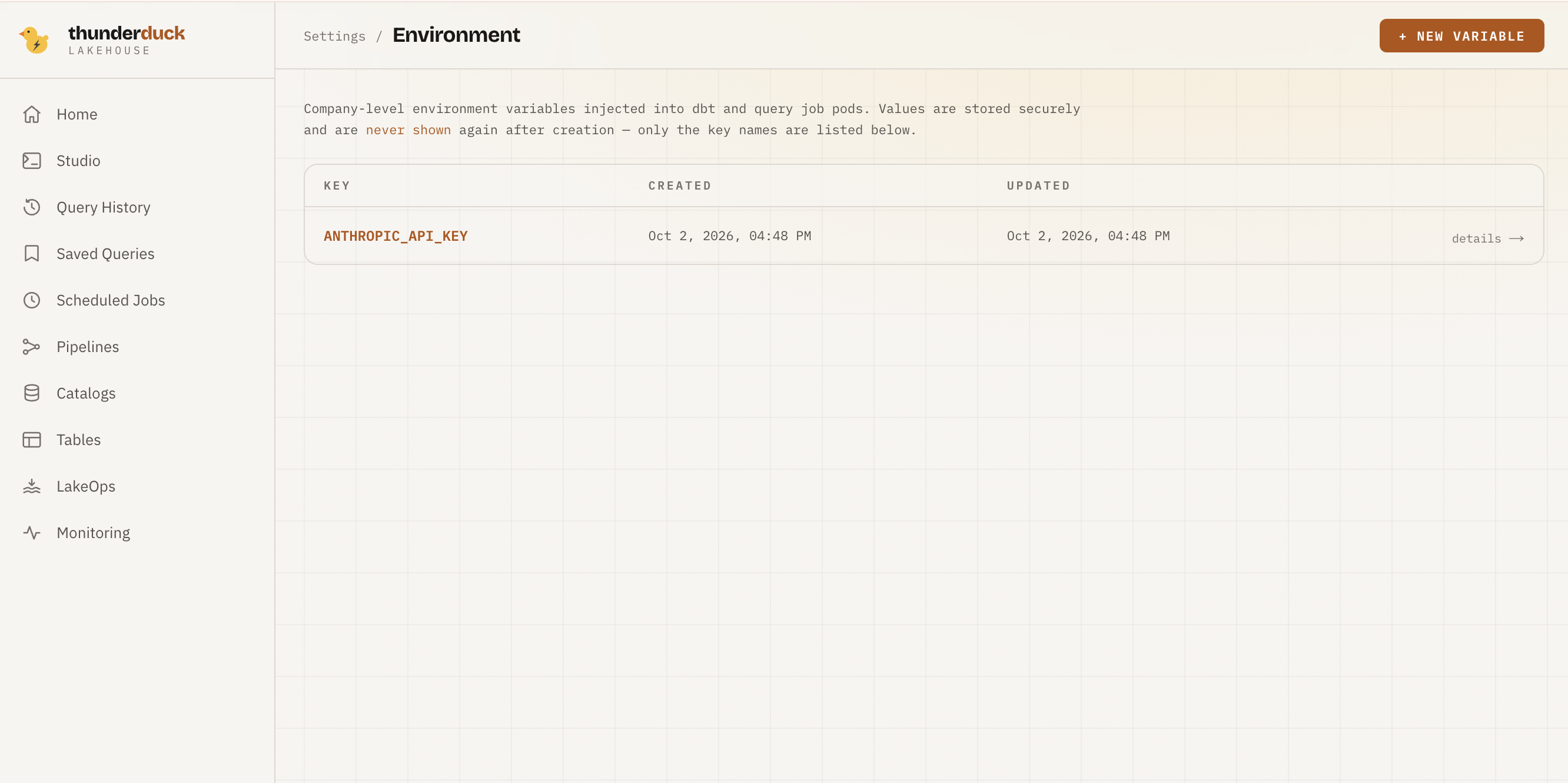
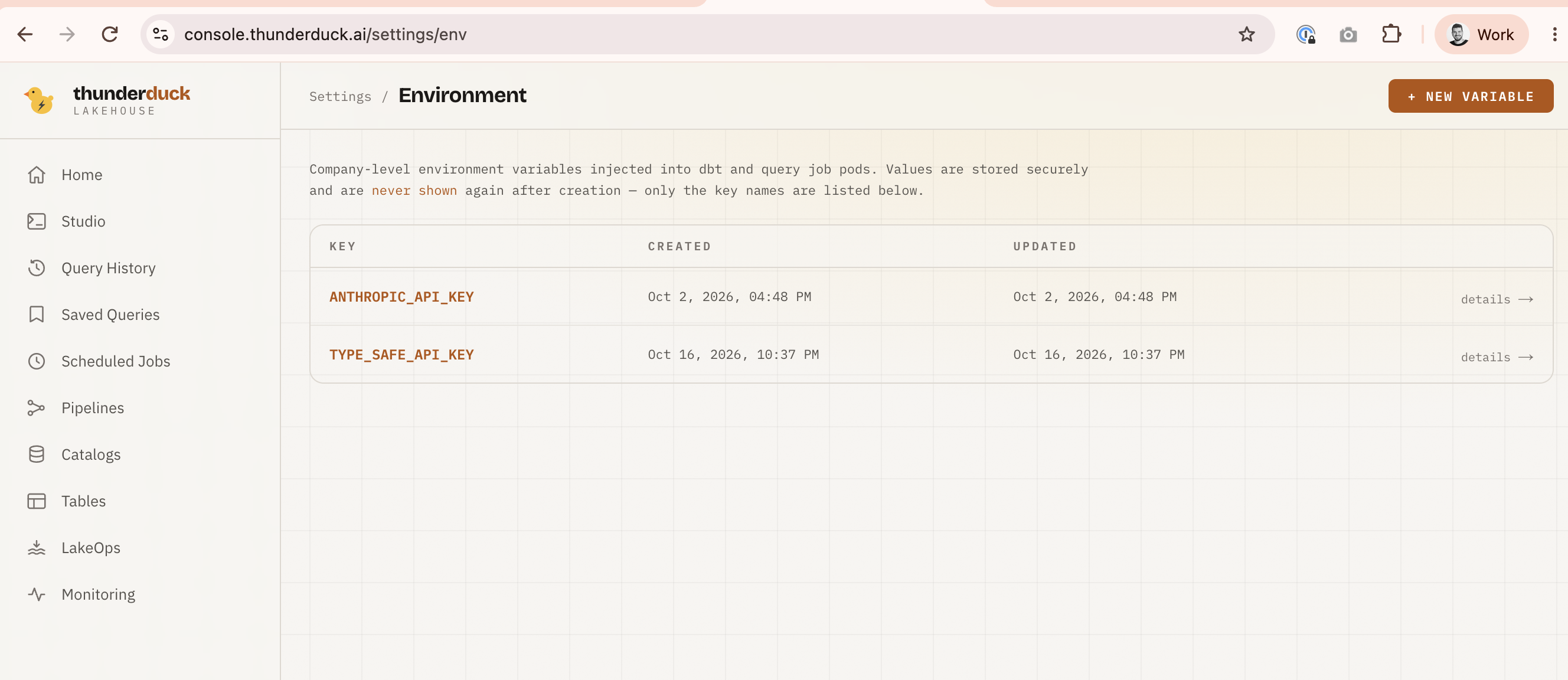
In the Thunderduck console, open Settings, then click Manage → on the Environment card. The Environment page lists your company's variables by name.
Step 4: Add the TYPE_SAFE_API_KEY variable
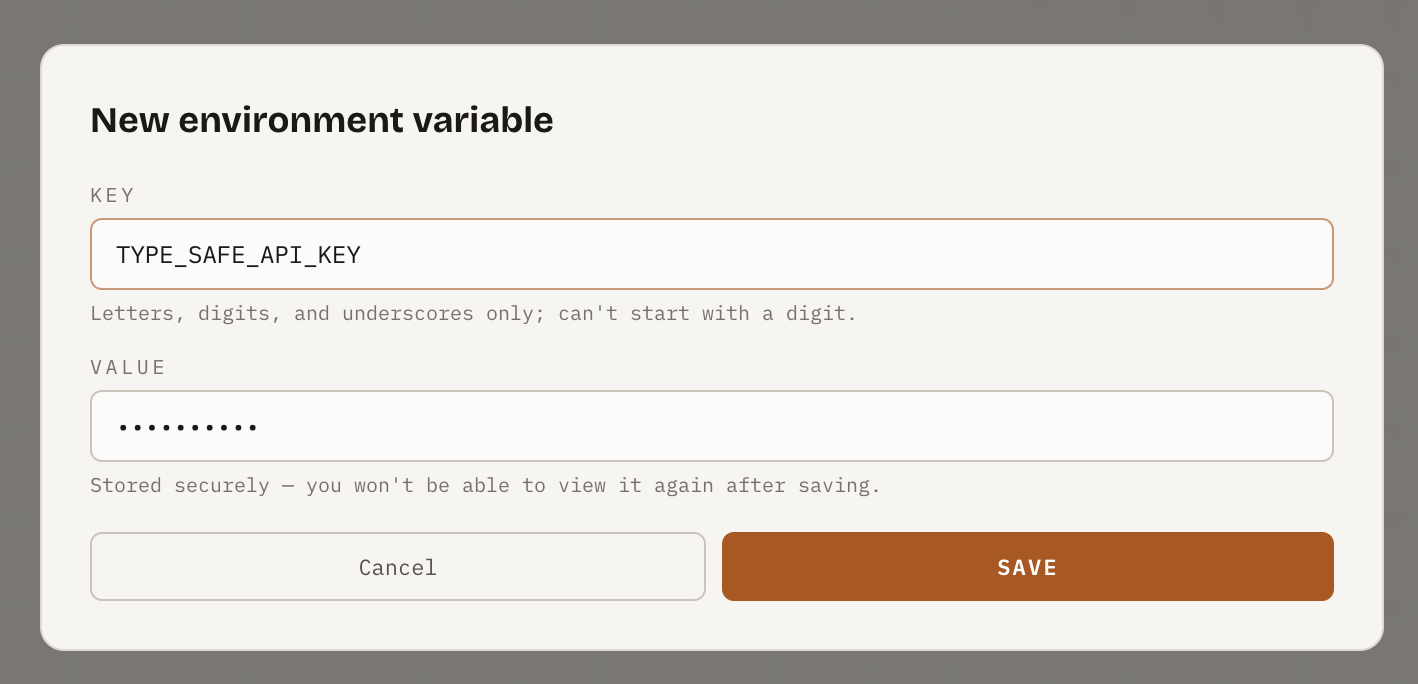
Click + NEW VARIABLE and fill in the form:
- Key:
TYPE_SAFE_API_KEY - Value: the API key you copied in step 2
Click SAVE.
Step 5: Check the variable is listed
TYPE_SAFE_API_KEY now appears in the Environment list. Only the name is
shown: after saving, the value is never displayed again, not even to you.
Step 6: Run your first query
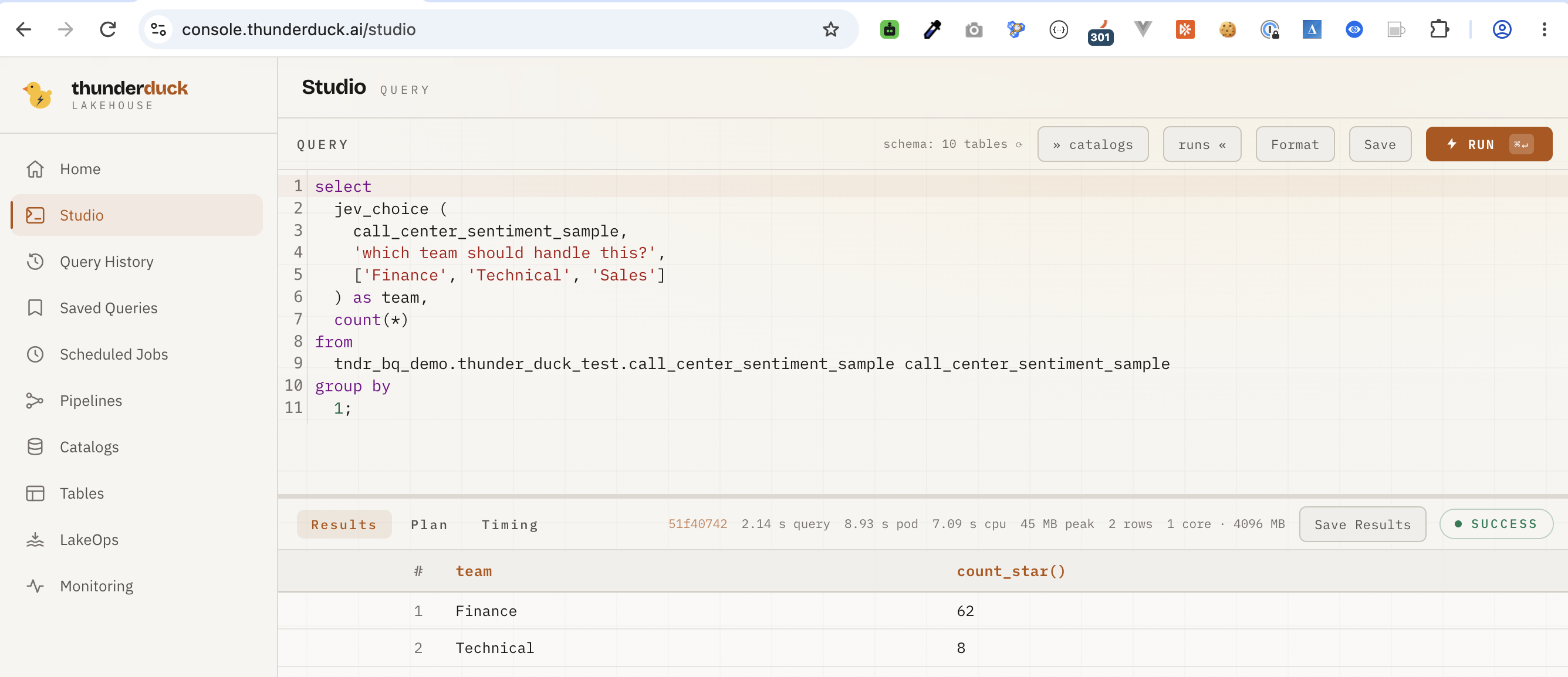
Open Studio and run a query that calls a TypeSafe function. This one reads a table of call-center transcripts and asks TypeSafe which team should handle each call, then counts the calls per team:
select
  jev_choice (
    call_center_sentiment_sample,
    'which team should handle this?',
    ['Finance', 'Technical', 'Sales']
  ) as team,
  count(*)
from
  tndr_bq_demo.thunder_duck_test.call_center_sentiment_sample call_center_sentiment_sample
group by
  1;
You get one row per team with its call count. A label that no call matched doesn't get a row. To try it on your own data, replace the table with one of yours and change the question and labels.
That's it. Every query you run from now on can call jev(), jev_prob() and
jev_choice(). There's no SET statement to run: Thunderduck passes the key
to the query for you. Before the key is set, these functions fail with a clear
"no API key" error instead of silently doing nothing, so you'll know right away
if setup isn't finished.
How the key is stored
TYPE_SAFE_API_KEY is a Thunderduck environment variable
like any other. Nothing about its storage is specific to TypeSafe:
- The value never touches Thunderduck's own database. Postgres only records the variable's name, so it can list it back to you in Settings. The value itself lives in one secret per company, in your deployment's secret store: AWS Secrets Manager in the hosted product, HashiCorp Vault for an on-prem deployment.
- It's written once, when you save it in Settings. Only the query pod that runs your SQL reads it back, at execution time and under its own scoped credentials. Nothing in between holds a long-lived copy.
- Deleting the variable removes it from the secret as well, not just from the list you see, so there's no leftover copy to clean up.
The functions
| Function | Returns | Use it for |
|---|---|---|
jev(table, 'condition') | BOOLEAN | Filtering — WHERE, JOIN, CASE, anything a boolean composes with |
jev_prob(table, 'condition') | DOUBLE (0–1) | Ranking rows, or picking your own threshold instead of a fixed cutoff |
jev_choice(table, 'question', ['a', 'b', ...]) | one of the labels you supply | Classifying a row into a category you name — a sentence becomes a GROUP BY key |
table is the row itself — pass the table or subquery alias you're already
selecting from; jev reads every column of that row as context for the
condition.
Example queries
Run against a real BigQuery catalog (tndr_bq_demo), a table of call-center
transcripts:
-- The probability behind two separate judgments, as ordinary columns
SELECT
  jev_prob(call_center_sentiment_sample, 'is east coast customer') AS is_east_coast_customer,
  jev_prob(call_center_sentiment_sample, 'is customer happy') AS is_happy,
  *
FROM tndr_bq_demo.thunder_duck_test.call_center_sentiment_sample
LIMIT 100;

-- A boolean, so it composes with the rest of SQL
SELECT *
FROM tndr_bq_demo.thunder_duck_test.call_center_sentiment_sample
WHERE jev(call_center_sentiment_sample, 'sentiment is neutral');

-- One of n, per row — grouping by the assigned label plus an existing column
SELECT
  jev_choice(call_center_sentiment_sample, 'which team should handle this?',
             ['Finance Team', 'Technical Team', 'Sales']) AS team,
  sentiment,
  count(*)
FROM tndr_bq_demo.thunder_duck_test.call_center_sentiment_sample
GROUP BY 1, 2;
What is sent to TypeSafe
Unlike column meanings, which only ever send schema — names
and types, never values — calling jev(), jev_prob() or jev_choice() sends
the full contents of the matched row to TypeSafe's API, because the whole
point is judging what's actually in it. Nothing is sent until you call one of
these functions, and nothing is sent at all until TYPE_SAFE_API_KEY is set — nobody
else's query starts talking to TypeSafe because you configured a key for yours.
Point these functions at rows you're comfortable sharing with TypeSafe, the same way you would before pasting a row into any third-party tool. Review TypeSafe's own terms (opens in a new tab) if that matters for your data.
Cost and limits
jev's own API calls aren't priced into Thunderduck's query cost estimate —
they're billed by TypeSafe, against your own API key, under whatever plan you
have with them there. A query that calls jev() over a large, unfiltered table
calls TypeSafe once per row, so filter first where you can: narrow with a cheap
WHERE before judging, rather than judging and then filtering.